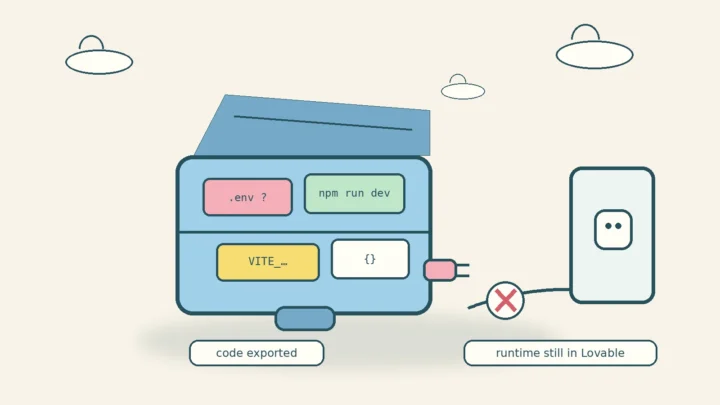
Your supabase edge functions work in the builder preview or with supabase functions serve, but the live app shows CORS, 401, 500 — or nothing at all.
The generated frontend looks correct. Yet the published app cannot call the server action that payments, email or admin logic depends on. This is rarely a mysterious Deno bug. Production adds four things local testing often hides: the real function URL, browser preflight checks, production secrets and the exact authorization header Supabase expects.
Supabase edge functions: what changes after deploy
A local function is not automatically a production function. After deployment, the live endpoint usually looks like this:
https://<project-ref>.supabase.co/functions/v1/<function-name>That endpoint is a public HTTP boundary. The browser now enforces CORS. Supabase can reject missing or invalid authorization before your code runs. Secrets must exist in the production function environment, not only in a local .env file. A function that was never deployed, or was deployed to a different Supabase project, fails with the same symptoms as broken code.
AI builders often generate the fetch call, the function and the database access in one pass. The preview proves the happy path, not the production contract.
Step 1: prove the function is really deployed
Start outside the app. Open the Supabase Dashboard and check Edge Functions. The function name must match the name in the frontend URL exactly, including hyphens. If you use the CLI, run:
supabase functions listIf the function is missing, deploy it to the correct project:
supabase link --project-ref <project-ref>
supabase functions deploy <function-name>
Test the production URL with curl and the publishable key from Settings → API:
curl -i -X POST
  'https://<project-ref>.supabase.co/functions/v1/<function-name>'
  -H 'apikey: <publishable-key>'
  -H 'Authorization: Bearer <publishable-key>'
  -H 'Content-Type: application/json'
  --data '{"test":true}'
If curl fails, fix deployment first. If curl works but the browser fails, continue with CORS and auth.
Step 2: read the exact failure, not the red console noise
Open browser DevTools → Network, repeat the action once, and click the failing request. Write down four details:
- Status: 401, 403, 404, 500, or CORS blocked before any status.
- Request URL: correct project ref and correct function name?
- Request headers: are
apikey,AuthorizationandContent-Typepresent? - Response body: platform message, your own error message, or empty?
Then open Supabase → Edge Functions → your function → Logs and Invocations. If there is no invocation, the request never reached your code. If there is an invocation, the function ran and the response came from your logic or from code it called.
No invocation means URL, deployment, CORS or platform auth. An invocation means runtime error, missing secret, database permission or your own logic.
Step 3: fix CORS on every response path
A browser call to an edge function often sends a preflight OPTIONS request first. If the function does not answer that preflight with CORS headers, the browser blocks the real request before your code runs.
Supabase documents two approaches. Newer projects can use the built-in wrapper or import the shared headers from the SDK. The manual pattern still makes the requirement visible:
const corsHeaders = {
  'Access-Control-Allow-Origin': '*',
  'Access-Control-Allow-Headers': 'authorization, x-client-info, apikey, content-type',
}

Deno.serve(async (req) => {
  if (req.method === 'OPTIONS') {
    return new Response('ok', { headers: corsHeaders })
  }

  try {
    return Response.json({ ok: true }, { headers: corsHeaders })
  } catch (error) {
    return Response.json(
      { error: String(error) },
      { status: 400, headers: corsHeaders },
    )
  }
})
Every response must carry the headers: success, validation error, exception and preflight. CORS only on success still breaks the first real failure.
Step 4: separate publishable keys from server secrets
The browser may use the publishable anon key. It must never use the service role key. If the edge function needs privileged database access, that key belongs in the function’s server-side environment only.
Production secrets are set in the Supabase Dashboard or through the CLI:
supabase secrets set STRIPE_SECRET_KEY=sk_live_...
supabase secrets list
Do not prefix your own names with SUPABASE_; Supabase reserves that prefix for injected variables. A local .env file does not deploy itself. If Deno.env.get('STRIPE_SECRET_KEY') is empty in production, the value never reached the function environment. After setting it, call the function again — Supabase notes that a redeploy is not required for new secrets.
If you are unsure which key belongs where, read why the supabase anon key is public before pasting anything into frontend env vars.
Step 5: decode 401 before changing the code
A 401 has two very different sources:
- Platform rejection: the body says
Missing authorization headeror invalid token. Your function did not run. Send a validAuthorization: Bearer …header or adjust the function’s auth verification setup deliberately. - Your own rejection: the body is empty or uses your custom message. Your function ran. Search the function for
401, log the reason before returning it, and check the user or permission condition that triggered it.
User actions need the user’s session token. Webhook-style public actions need a deliberately designed secret or signature check. Do not “fix” a 401 by disabling every check.
Why the AI leaves this half-finished
The model combines a frontend fetch, a Deno function and a database query without proving the production boundary. Local serve hides browser preflights, deployed secrets and live auth sessions. That is why the failure appears only after launch: one production piece is missing.
Pre-launch checklist
- Function appears in the correct production project and the URL name matches exactly.
- curl reaches the deployed URL and returns the expected status.
OPTIONSresponses and all success/error responses carry CORS headers.- Browser requests include
apikey, correctAuthorizationand JSON content type. - Production secrets exist in the function environment; no service role key is in frontend code.
- Invocations appear in the dashboard; the first failing invocation has a useful log line.
- Database access inside the function uses the least privilege needed for the action.
If login redirects, env vars or payment callbacks fail too, use the lovable deploy checklist and the supabase auth guide next.
FAQ
Why do Supabase edge functions work locally but fail live?
Local testing uses your local env file, local URL and often no browser preflight. Production adds a deployed function URL, browser CORS checks, production secrets and authentication headers. One missing piece can make the same code fail only live.
Do I need the service role key in the browser to call an edge function?
No. The browser should use the publishable anon key or the user’s session token. If the function needs elevated database access, keep the service role key as a server-side secret inside the edge function environment.
What is the first thing to check for a 401 from a Supabase edge function?
Read the response body. Missing authorization header or invalid token means the platform rejected the request before your code ran. A custom or empty 401 means your function executed and returned that status itself.